
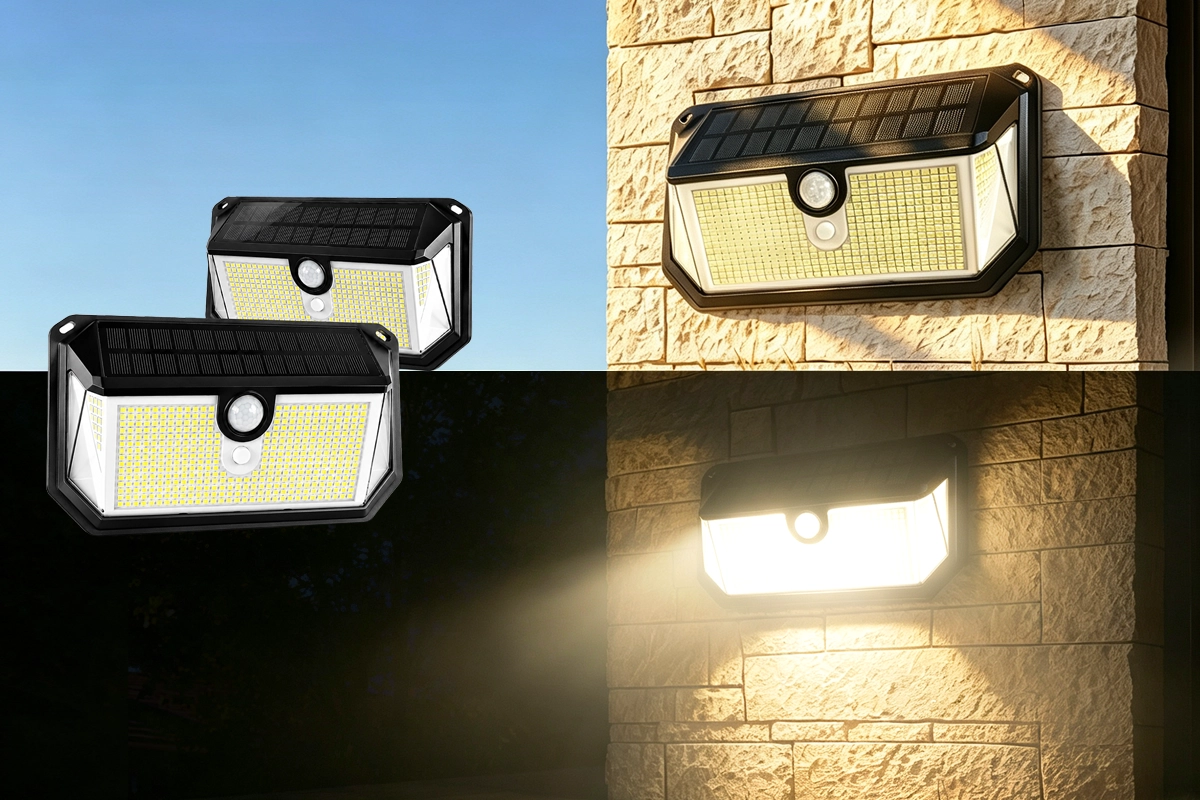
SL016 Support Center
Find installation guides, operating instructions, lighting modes, troubleshooting tips, and warranty information.
Product Highlights

434 LED
High-density LED design for brighter outdoor coverage.

300° Wide Coverage
Wide illumination area for outdoor security.

Motion Sensor
Automatically activates when movement is detected.
Quick Start
Follow these four steps before using your SL016.

Install
Mount the light in an area with direct sunlight.

Charge
Allow solar charging before first use.

Power On
Turn on the switch before operation.
Test at Night
Check motion activation in darkness.
Installation Guide
Install your SL016 in a few simple steps.
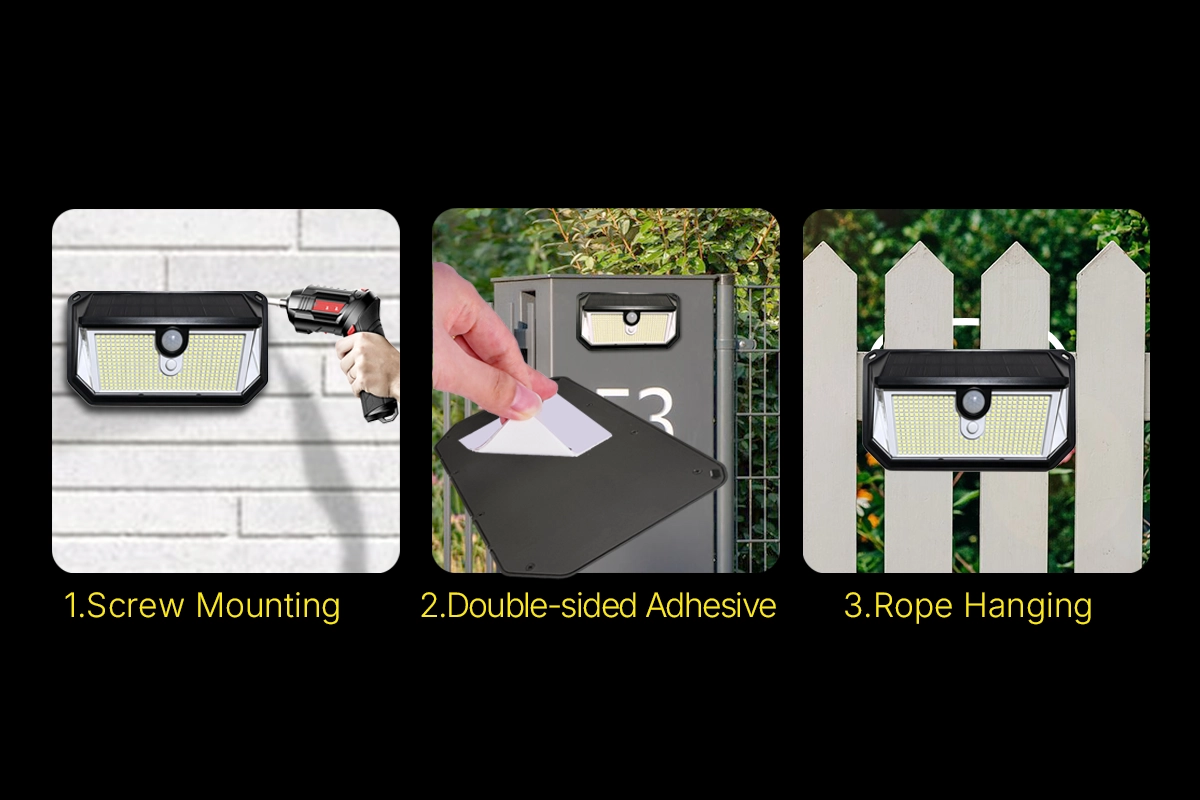
Step 1: Choose Location
Select a location with direct sunlight for better solar charging performance.
Step 2: Secure Mounting Bracket
Insert screws through the mounting holes and tighten securely.
Step 3: Attach Light Body
Attach the SL016 light body to the mounting bracket.
Step 4: Adjust Lighting Angle
Adjust the light direction to cover your desired area.
Lighting Modes
Choose the lighting mode that best fits your outdoor needs.
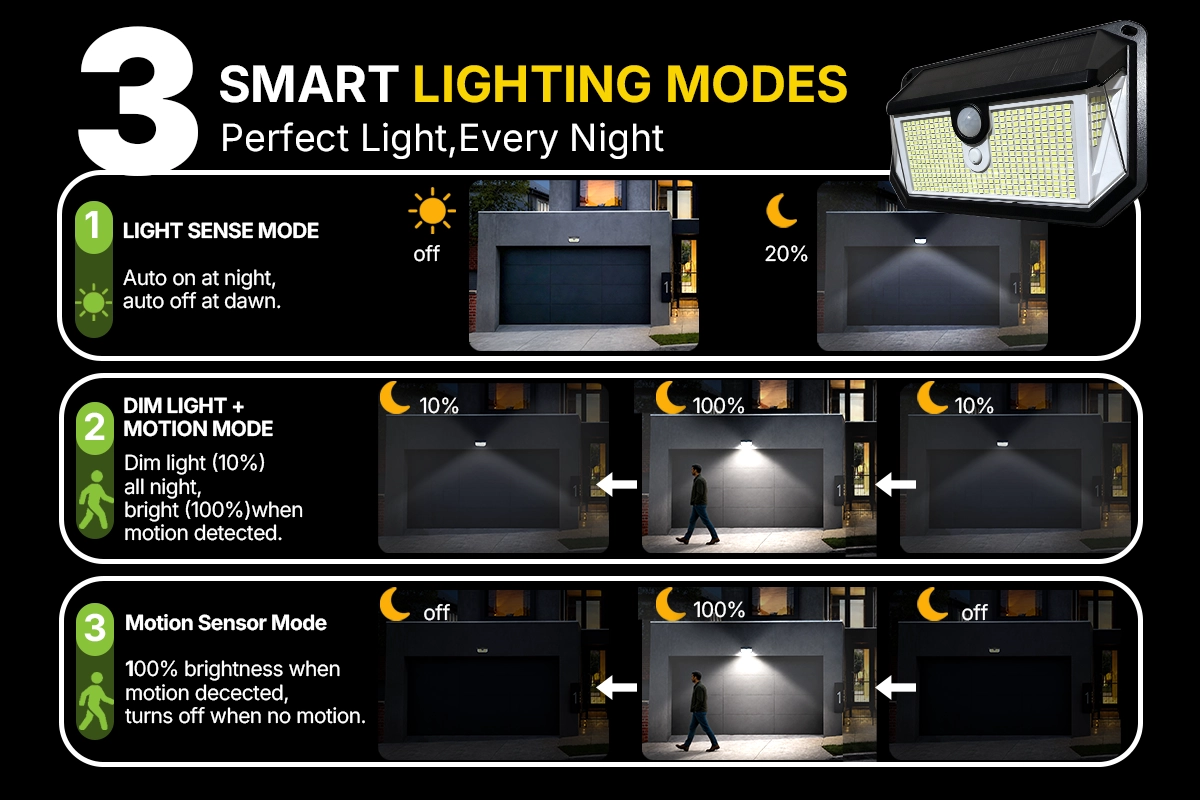
LIGHT SENSE MODE
Automatic Night Lighting
Auto on at night,
auto off at dawn.
Dim light:
20% brightness.
DIM LIGHT MOTION MODE
All-Night Dim Lighting
Dim light:
10% all night.
Bright light:
100% when motion detected.
MOTION SENSOR MODE
Security Lighting
100% brightness
when motion is detected.
Turns off
when no motion.
Solar Charging Tips
Proper installation helps maximize charging efficiency and nighttime performance.
- Install the solar panel where it receives direct sunlight.
- Avoid shadows from trees, walls, or buildings.
- Keep the solar panel surface clean.
- Weather conditions may affect charging performance.
Troubleshooting FAQ
Why is my solar security light not turning on?
Please check the following:
- Make sure the power switch is turned ON.
- Allow the solar panel to charge under direct sunlight before first use.
- Test the light in darkness because the sensor activates at night.
Why does my solar light not charge?
Charging performance depends on sunlight exposure. For best results:
- Install the solar panel in direct sunlight.
- Avoid shade from trees or buildings.
- Keep the solar panel clean.
- Allow enough charging time during sunny weather.
Why does the light turn on during the day?
The solar sensor detects surrounding brightness. Make sure the solar panel receives normal daylight conditions. Avoid testing under strong shadows or covered areas.
Why is the lighting time shorter at night?
Nighttime operation depends on:
- Amount of sunlight received during the day.
- Weather conditions.
- Installation location.
How do I clean and maintain my SL016?
Clean the solar panel regularly with a soft cloth. Keep the panel surface free from dust and debris to maintain charging efficiency.
User Guide
Download the complete SL016 User Guide.
📄 Download SL016 User GuideIncludes installation, operation instructions, lighting modes, and troubleshooting.
Warranty & Support
LUNQHAL provides manufacturer warranty support for your SL016 Solar Security Light.
For product assistance, installation questions, or technical support: